@phoenix
·
2024-04-05 05:48:48 UTC · 1178
Article
Rich
Public
.
How to use micropython.schedule effectively
https://forum.micropython.org/viewtopic.php?t=8745
from pyb import Timer
import micropython
import time
def cb(arg):  # Scheduled callback
    print(arg)

def cb1(tim):  # Hard IRQ
    micropython.schedule(cb, 'Timer 1')
def cb2(tim):
    micropython.schedule(cb, 'Timer 2')
t1 = Timer(1, freq=1.1, callback=cb1)
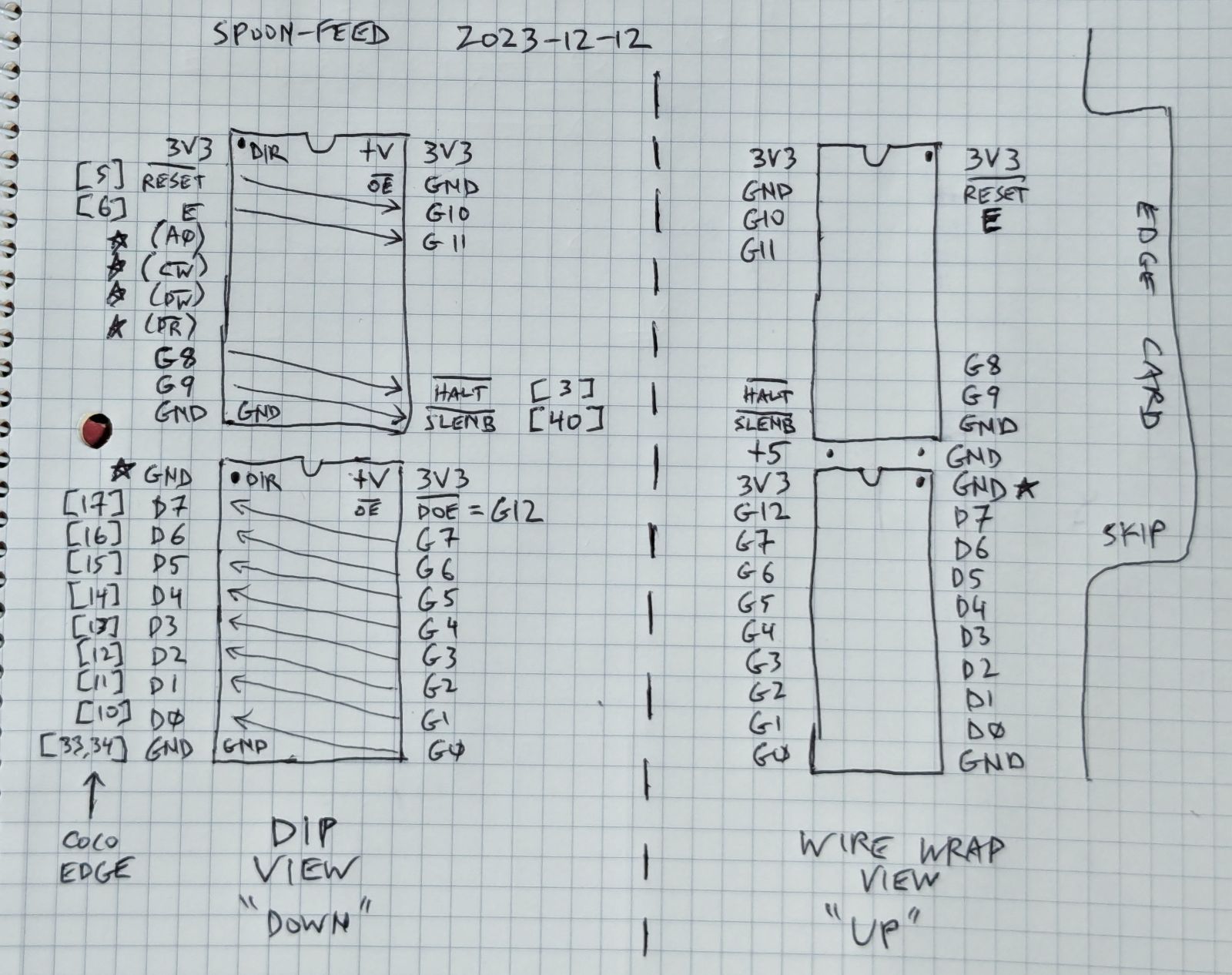
t2 = Timer(2, freq=1, callback=cb2)Cartridge PCB example: https://github.com/JayesonLS/TandyCircuitsAndLogic/blob/master/CoCoProtoBoard/CoCoProtoBoard.png

Coco Motherboards: https://github.com/qbancoffee/coco_motherboards
halt/, E, A0, A1
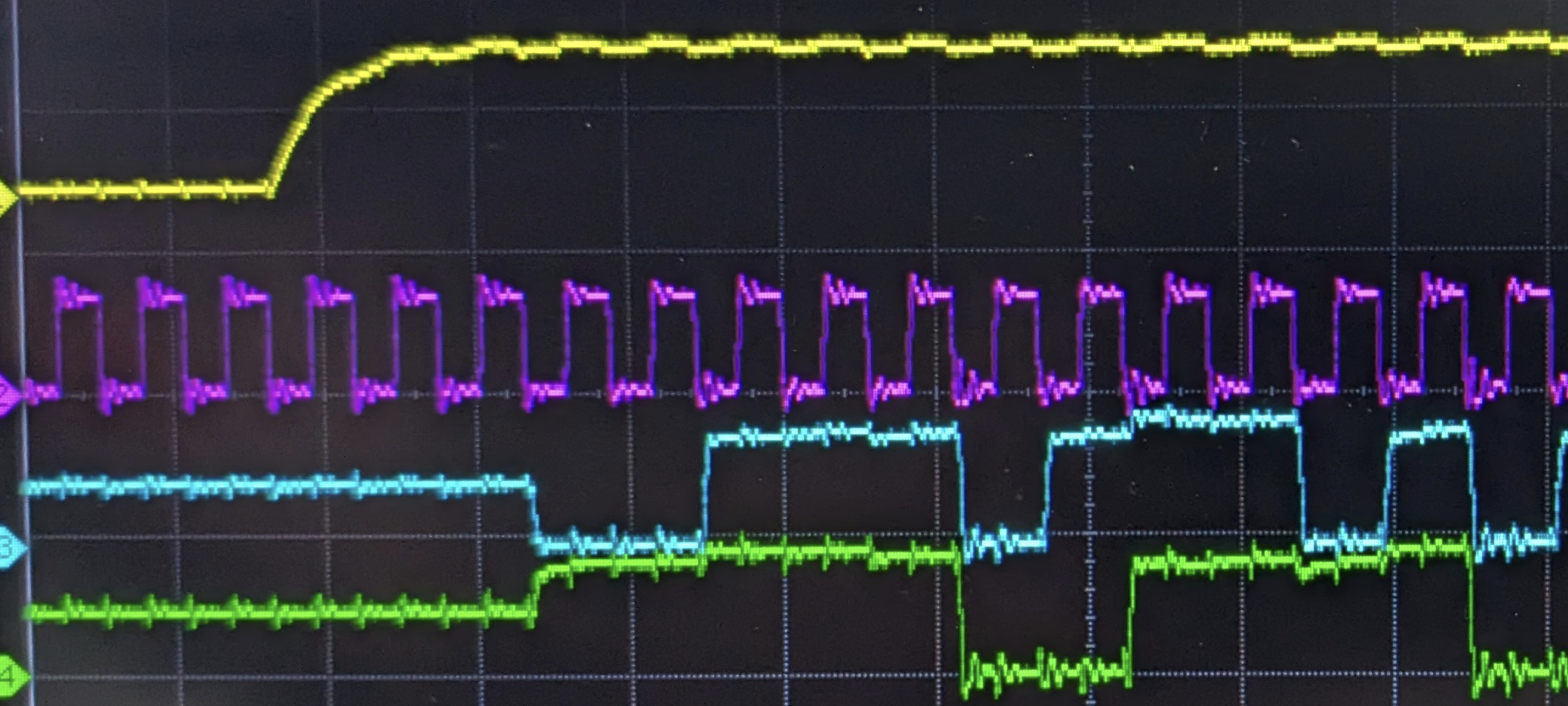
halt/, E, A0, A3 (?)
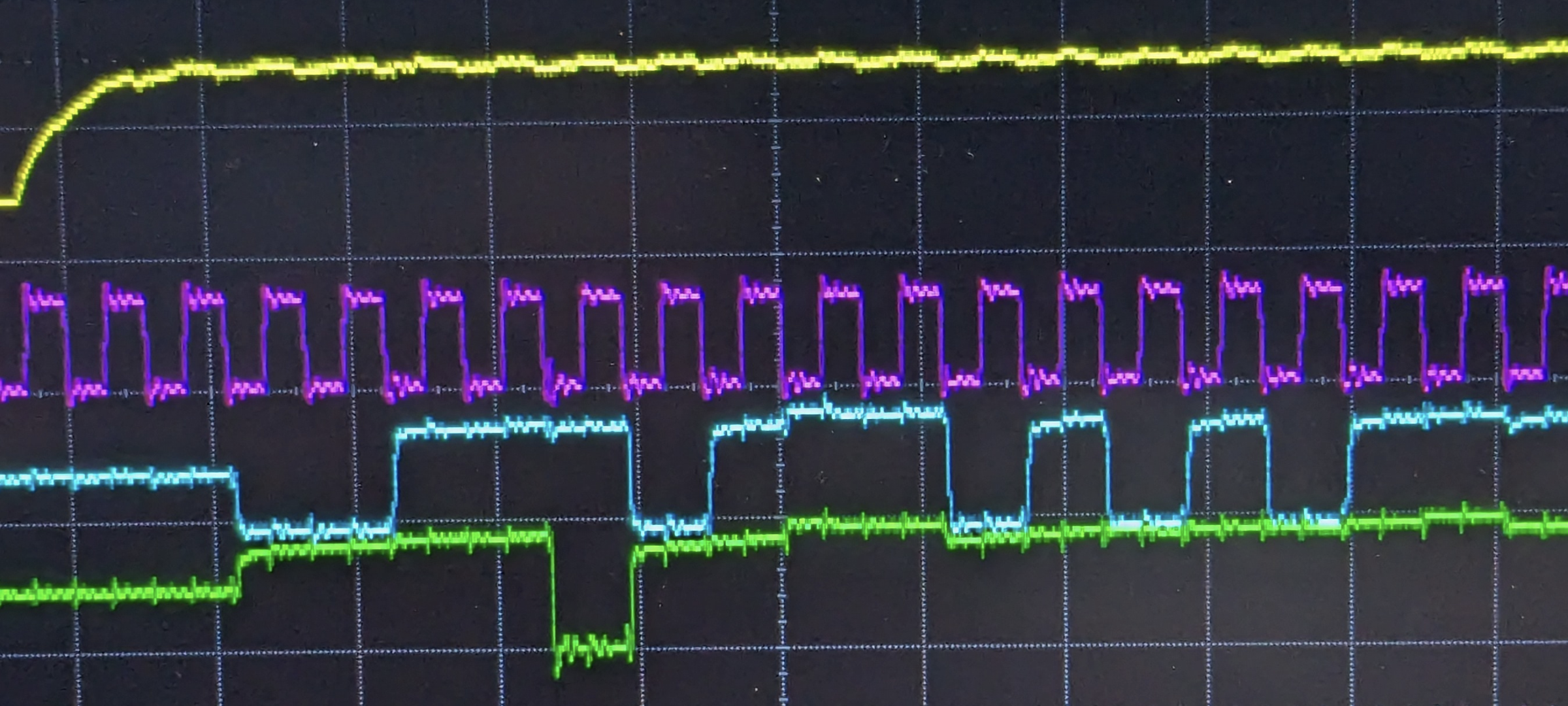
]strick9: So that's the pic I wanted with fetching the reset vector after reset/ rises then halt/ rises
[2:57 PM]strick9: programmed the delay in MicroPython GPIO (not PIO)

import time
from time import sleep

import machine
from machine import Pin

Led = Pin("LED", Pin.OUT)
Halt = Pin(13, Pin.OUT)
Slenb = Pin(14, Pin.OUT)
Dir = Pin(15, Pin.OUT)
ResetN = Pin(8, Pin.IN)
EClock = Pin(9, Pin.IN)
WriteC = Pin(10, Pin.IN)
WriteD = Pin(11, Pin.IN)
ReadD = Pin(12, Pin.IN)


Led.value(1)
Halt.value(0)
Slenb.value(0)
Dir.value(1)

while True:
    while ResetN.value() == 0: pass
    print("^", end="")
    sleep(0.9)
    Halt.value(0)
    while ResetN.value() != 0: pass
    print("v", end="")
    Halt.value(1)
    sleep(0.2)
[2:59 PM]strick9: Scope will trigger on rise in Halt: Type Dropout, Source Ch1=yellow, Slope Rising, OverTIme Type Edge, Time 2ns
Spoonfeeder
📎 blink_halt.py
📎 blink_pico_led.py
📎 copico-2024-02-07_185757.zip
📎 copico-2024-02-08_015334.zip
📎 copico_Gerbers_20240208_090800Z.zip
📎 gerbers_tuesday.zip
📎 mimic2.py
📎 r11-2023-01-30-B.zip
📎 respond-to-ff7a-aardvark.py
📎 send_reset_vector.py
📎 spoonfeed_poc.py
📎 step1-sends-reset-vector.py
📎 thomas-step2.py
📎 zip-2024-01-29a.zip